


Hello World!
1.6 Programming Environment
The tools used in program development are very different from the software that most people are familiar with. The development environment used to create and execute C programs can vary from one computer system to another. The most basic type of environment, which we assume for this text, involves the use of a text editor and a command shell.
Editing the Program
The text editor is used to create the program source file, which is then saved with a cc extension. Figure 1.6.1 illustrates the use of the jEdit[1] text editor to create the simple Hello World program shown below
- /* hello.cc
- The hello world program in C.
- */
- #include <stdio.h>
- int main()
- {
- printf("Hello World!\n");
- }
After the program is saved, it has to be compiled and then executed.
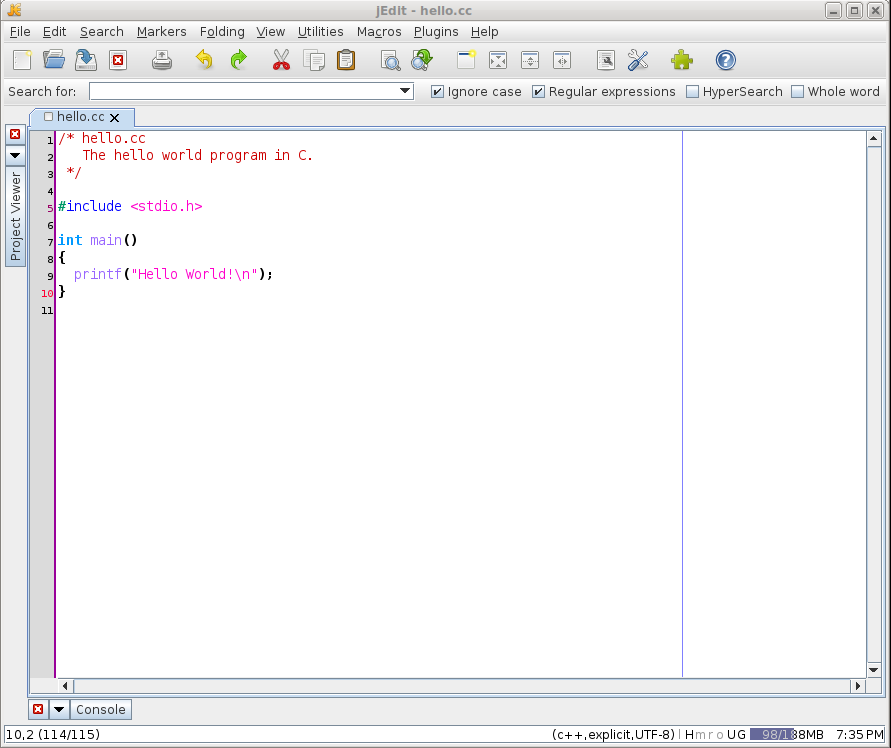
Figure 1.6.1. Creating the Hello World program using the jEdit text editor.
Compiling and Linking
The GNU Compiler Collection[2] is typically used on Linux computer systems to create executable programs. This software collection provides command line applications for creating executable programs from a variety of programming languages. In this text, we will use the g++ GNU compiler. This application can be used to compile both C and C++ programs. Although, this text is focused on the C programming language, as indicated earlier there may be times when you will need to work with the C++ language.
Creating an executable C program involves a two step process, compilation and linking. For simple programs consisting of a single source file, the two steps can be combined using a single command:
g++ -o hello hello.cc
The -o option specifies the name of the executable program created from compiling and linking the source file hello.cc. The executable file is created within the current directory.

Be very careful using this command. It is not unusual to accidentally enter something similar to
g++ -o mypgm.cc mypgm.cc
instead of that specified above. If you make this mistake, there will be no warning and the compiler will create the executable named mypgm.cc which overwrites your sourcefile.
Execution
The compilation command above, simply creates the executable program. To run the executable program, you must enter the name of the executable program at the command-line the same as you would with a Linux system command:
./hello
Remember, executable files in Linux do not have a special extension as they do in Windows. Thus, you only provide the name of the executable in order to execute the program.

For security reasons, the Linux shell only looks in specific system directories for executables. To execute a program located outside of the system directories, you must provide an absolute or relative path to the file. Here, the ./ is used to indicate that the executable file is in the current directory.
When the program is executed, it simply prints Hello World! to the terminal.
Syntax Errors
If the source file contains syntax errors, the compiler and linker can not create the executable program. Compilers commonly report any errors encountered and try to identify the line on which the error(s) occurred. For example, suppose we omit the semicolon at the end of line 9 in our hello.cc program from above
- /* hello.cc
- The hello world program in C.
- */
- #include <stdio.h>
- int main()
- {
- printf("Hello World!\n")
- }
If we attempt to compile the program, the compiler would produce the following output in the terminal window
g++ -o hello hello.cc
hello.cc: In function ‘int main()’:
hello.cc:9:27: error: expected ‘;’ before ‘}’ token
    9 |   printf("Hello World!\n")
      |                           ^
      |                           ;
   10 | }
      | ~
Unlike the programming environments used with Python, the g++ compiler does not immediately stop and display a message when a single syntax error is encountered. Instead, it attempts to recover from the error and continues compiling the program. For example, suppose we omit both the semicolon at the end of line 9 and the left curly brace on line 8
- /* hello.cc
- The hello world program in C.
- */
- #include <stdio.h>
- int main()
- printf("Hello World!\n")
- }
Now when we attempt to compile the program, the compiler produces two errors in the terminal window as shown below
%> g++ -o hello hello.cc
hello.cc:9:3: error: expected initializer before ‘printf’
    9 |   printf("Hello World!\n")
      |   ^~~~~~
hello.cc:10:1: error: expected declaration before ‘}’ token
   10 | }
      | ^
It is important to note that although the compiler attempts to identify the line on which an error occurs, what it really does is to identify the line at the point when it first discovers there is an error. Thus, sometimes the error may actually occur on the line above or below that reported by the compiler. Since the compiler attempts to recover from a syntax error and continue compiling the source file, some reported errors may not actually be an error. When debugging a C program using the g++ compiler, you should always start with the first error reported and work your way down.